
The numbers AI companies run on.
Summerbase reads your billing data and gives you the revenue metrics behind it: run rate, growth, churn, expansion and cohorts. AI cost tracking, AI agents and an MCP server are on their way.

Connect Stripe in under a minute
Sign in, authorize Stripe, and your metrics are waiting. Nothing to tag, no events to send, no spreadsheet to keep up to date.
- Your full history is read in, so the first chart you see already goes back years
- Subscriptions, one-off charges, usage billing, refunds, trials and discounts all counted
- Revenue converted to a single currency, with the rate that applied on the day
- More sources than Stripe are coming
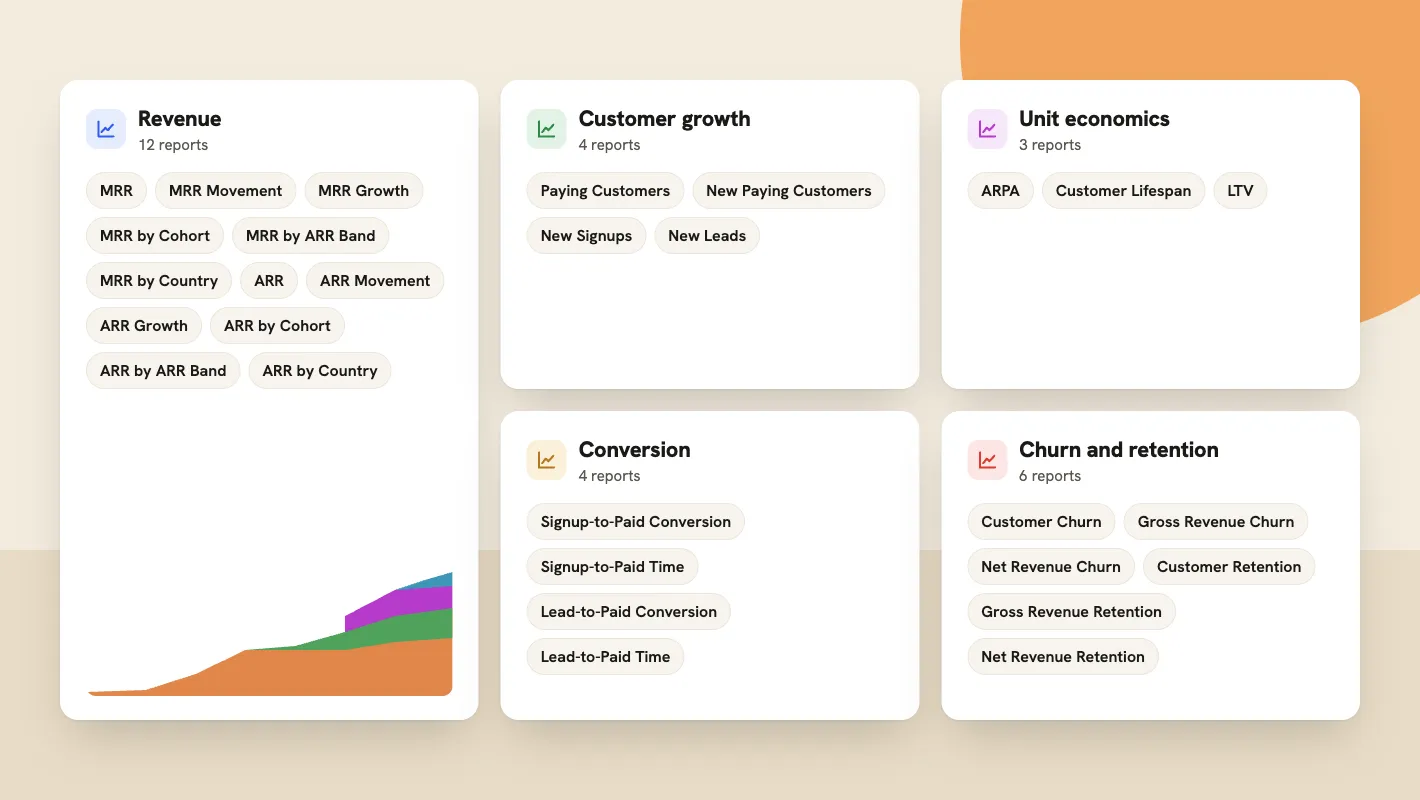
A report for every revenue metric
Every metric gets its own report, grouped the way you think about them and ready as soon as Stripe is connected.
- Revenue: MRR and ARR, with movement, growth, cohorts, ARR bands and countries
- Customer growth: paying customers, new customers, signups and leads
- Conversion: how many signups and leads start paying, and how long they take
- Churn and retention: customer, gross revenue and net revenue
- Unit economics: ARPA, customer lifespan and LTV
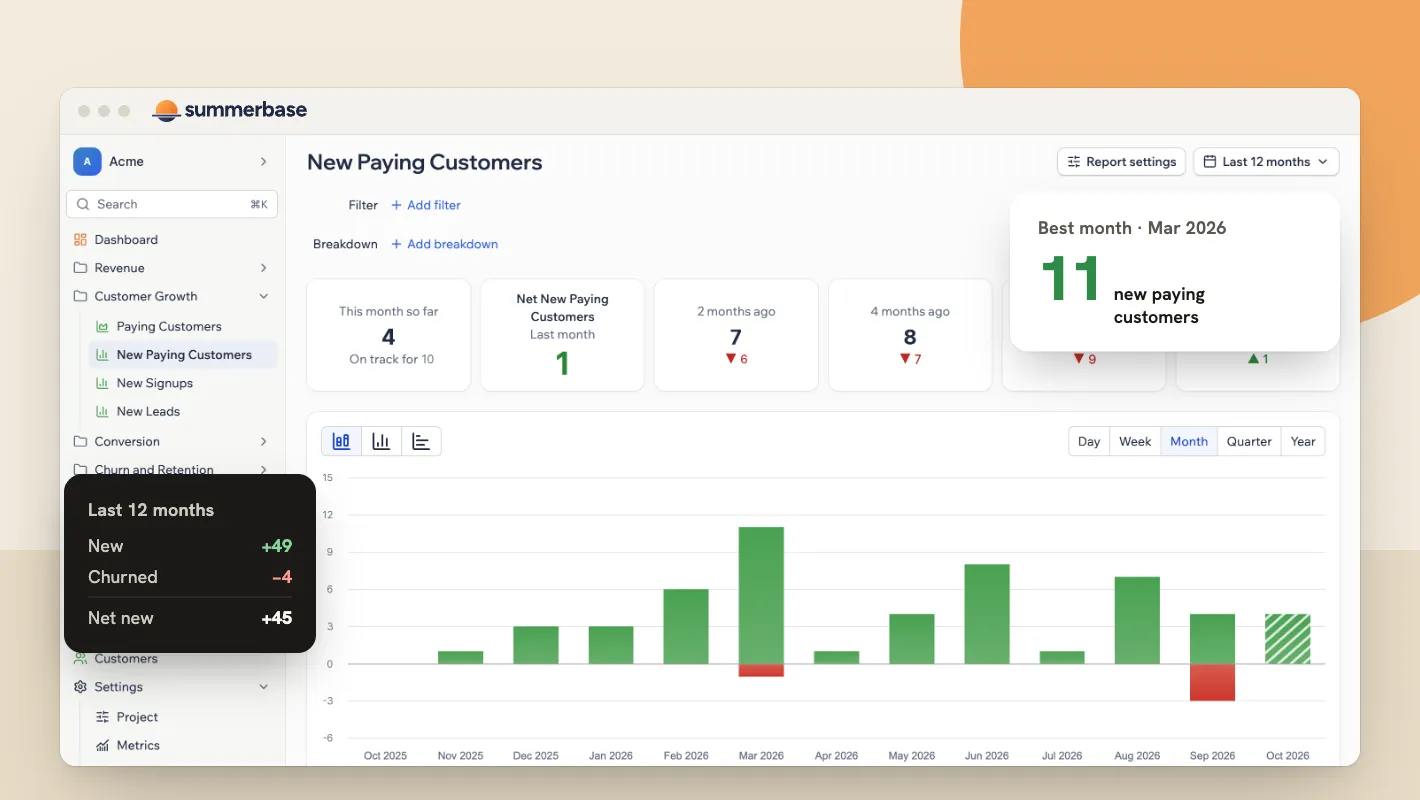
Keep track of your customer count
Revenue is one half of the picture and the people paying it are the other. Customers gained and lost sit on the same bar, so net new needs no arithmetic.
- New, churned and net new paying customers, by day, week, month, quarter or year
- The month so far, with what it is on track for
- Every month set against the ones before it, and against your best month so far
- Signups and leads counted the same way, further up the funnel

Filter and break down any report
Every report takes the same filters and breakdowns, so a question you can ask of one you can ask of all of them.
- Filter by country, plan, account size, start date, status or your own Stripe metadata
- Break down any report by the same fields, including by cohort
- Compare a period against the one before it, or against the same period last year
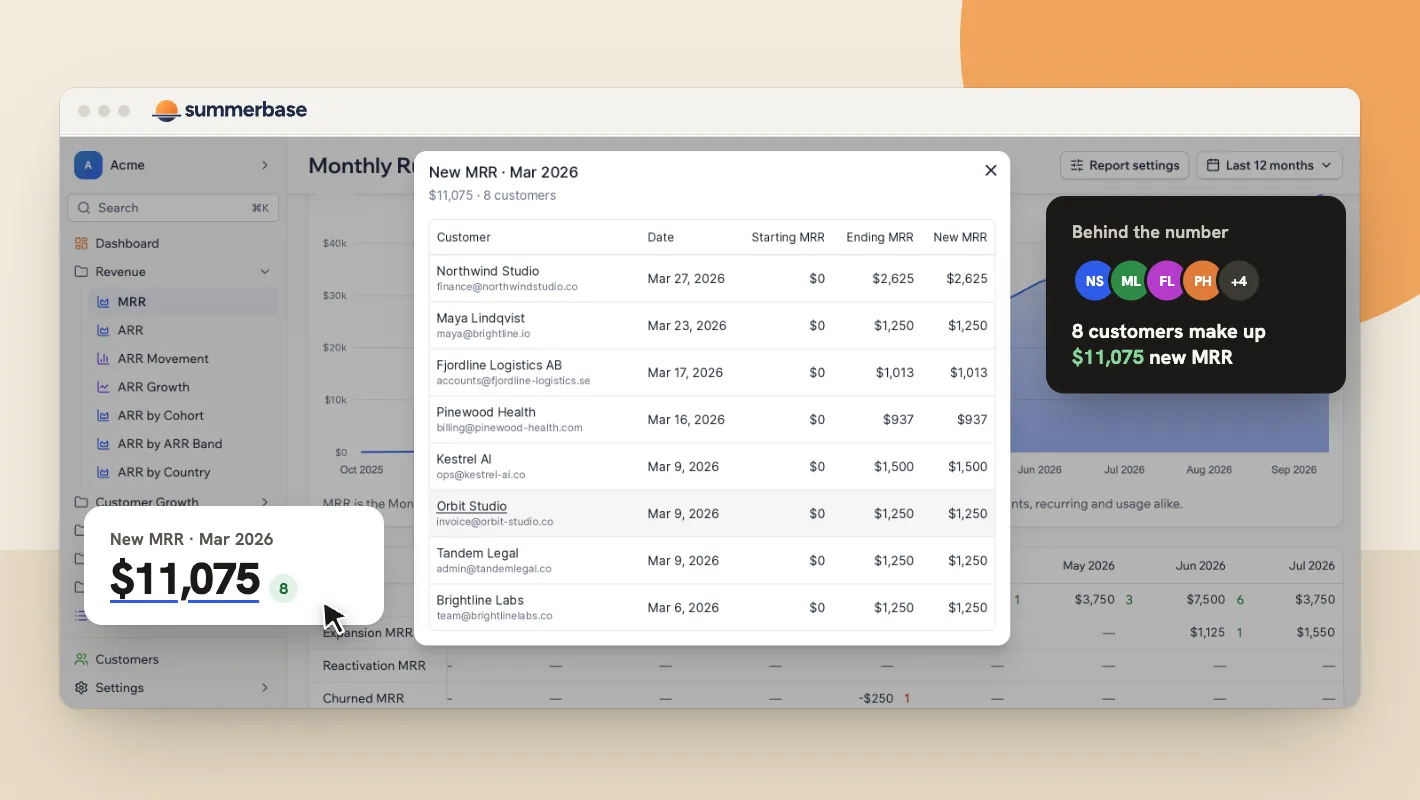
Dive into the customers behind every number
A number is where you start, not where you stop. Open any figure in a report and the customers that add up to it are right there.
- Open any number to see which customers make it up, and what each one brought
- Watch who started paying, who expanded, who came back and who churned, month by month
- A customer list of everyone who signed up, is paying or churned

Share metrics with your investors or the world
Put the reports that matter into a view and share it with people outside Summerbase. You decide how much each view shows.
- Build a view from any set of reports and give it a name
- Share it by secret link, with no Summerbase account at the other end
- Publish a view openly if you report your numbers in public
- Turn a link off at any time

AI cost and margin tracking: coming soon
For an AI company, gross margin is different for every customer and moves from week to week. Connect your model providers and read revenue and cost together.
- Model and inference spend attributed to the customer that caused it
- Gross margin per customer, per plan and per cohort
- See which accounts cost more to serve than they pay
- Planned for November 2026
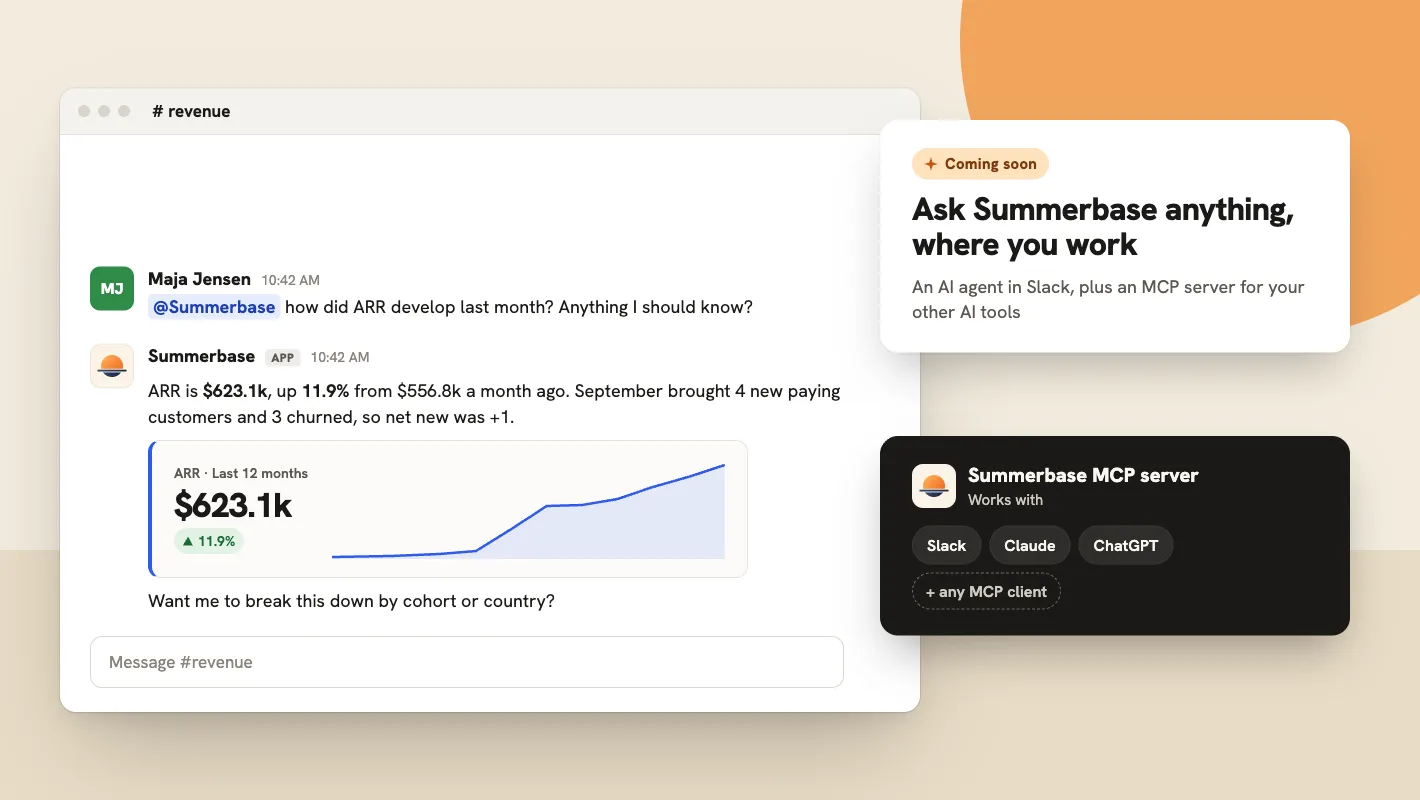
Ask Summerbase anything, where you work: coming soon
Ask for a number the way you would ask a colleague. An AI agent answers in Slack, and an MCP server gives your other AI tools the same access.
- Ask in plain words how ARR moved, who churned, or what a customer is worth
- Answers come back in the channel, with the chart and the numbers behind them
- An MCP server for Claude, ChatGPT and any other MCP client
Start with revenue. Margins are next.
Connect Stripe and get accurate MRR, churn, and growth in minutes. AI cost tracking and per-customer margin are coming soon.
Get started for free